
 Créez un compte étudiant

The Learning Center now features the Introduction to Onshape Assemblies course. With its self-guided exercises and practical workflows, CAD users can learn more about assembly fundamentals at their own pace.
Whether you’re new to Onshape or transitioning from desktop CAD systems, the learning experience follows a logical progression that mirrors real assembly workflows.
Self-Paced Assembly Learning Content
The Introduction to Onshape Assemblies course begins with the assembly interface and the fundamentals of starting an assembly. Through three comprehensive modules, engineers develop complete assembly skills from initial setup to complex assembly management.
The structured learning path follows a logical progression:
Module 1: Creating an Assembly
You'll start by mastering the assembly interface and learning how to start an assembly from scratch. The course covers positioning assembly instances effectively, using hide and show functionality, and switching between different assembly views. This foundation module concludes with a hands-on exercise where you'll start your own assembly, applying these core concepts immediately.
Module 2: Mating Assembly Instances
This comprehensive module explores every mate type in Onshape and how they define degrees of freedom to bring assemblies to life. You'll work through fastened, revolute, and slider mates before progressing to cylindrical and pin slot mates. The course then covers planar, ball, and parallel mates, plus specialized tangent and width mates.
Beyond individual mates, you'll learn grouping instances, working with composite parts and rigid part studios, and managing mate visibility. The module culminates in a pneumatic cylinder exercise that combines multiple mating techniques in a real mechanical assembly scenario.
Module 3: Working with an Assembly
The final module focuses on assembly management and organization. You'll explore assembly motion to verify your design intent, understand assembly structure for complex products, and use assembly folders for organization. The course also covers incorporating standard content from libraries and working with the simultaneous Bill of Materials. An assembly structure exercise reinforces these organizational concepts.

Designed for Multiple Skill Levels
The course accommodates:
- Engineers transitioning from desktop CAD systems
- Students and educators building foundational skills
- New CAD users starting with Onshape
- Teams establishing standard assembly practices
- Professionals preparing for Onshape certification
Based on learner feedback, we're expanding the exercise library with additional practice opportunities, particularly for those newer to CAD or coming from educational backgrounds.
Key Skills You'll Master
Throughout the three modules, you'll develop proficiency in four essential areas:
Explore every Onshape mate and tool: The course provides comprehensive coverage of all 9 mate types, plus grouping, composite parts, and rigid part studios, teaching you how each defines degrees of freedom to bring assemblies to life.
Learn to efficiently create subassemblies as you design: Working through assembly structure and folders, you'll streamline your assembly workflow by organizing components intelligently.
Position and adjust assembly components with the intuitive triad manipulator: Starting in the first lesson and reinforced throughout, you'll master precise component positioning without complex constraints.
Reinforce your knowledge through hands-on exercises: Each module includes practical exercises, from starting an assembly to building a pneumatic cylinder to organizing assembly structures, helping you master positioning, mating, and structuring assemblies.
What's Next for Assembly Training
While the current course focuses on assembly fundamentals and essential workflows, our learning resources continue to expand alongside Onshape's capabilities.
This commitment to expanding educational content ensures engineers can continue developing their skills as they tackle more complex assembly challenges.
The Onshape Learning Center
Take self-paced courses, get technical briefings, or sign up for an instructor-led training session.
Latest Content

- Étude de cas
- Produits de grande consommation
BOA Technology: Redefining Outdoor Fit Equipment with Cloud-Native Onshape
11.03.2025 En savoir plus
- Blog
- Evaluating Onshape
- Connexion PLM Arena
- Entreprise
- Government (US)
- Collaboration
Eliminating the CAD-PLM Disconnect with Onshape and Arena
11.19.2025 En savoir plus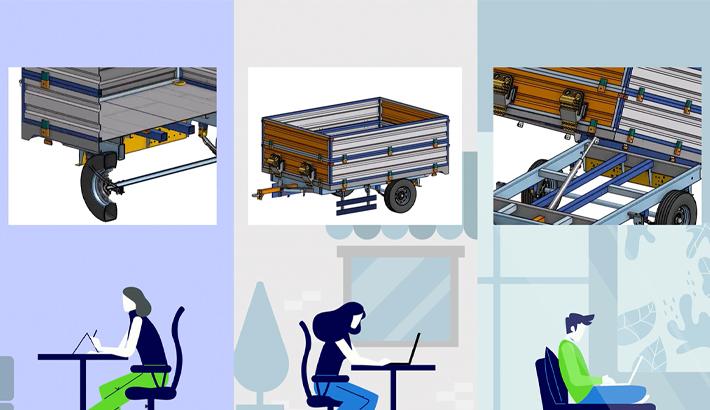
- Blog
- Evaluating Onshape
- Collaboration
Real-Time Collaboration: Why Onshape Redefines Teamwork in CAD
11.20.2025 En savoir plus
- Blog
- Becoming an Expert
- Centre d'apprentissage
Learning Center Course: Introduction to Onshape Assemblies
11.18.2025 En savoir plus


