
 Créez un compte étudiant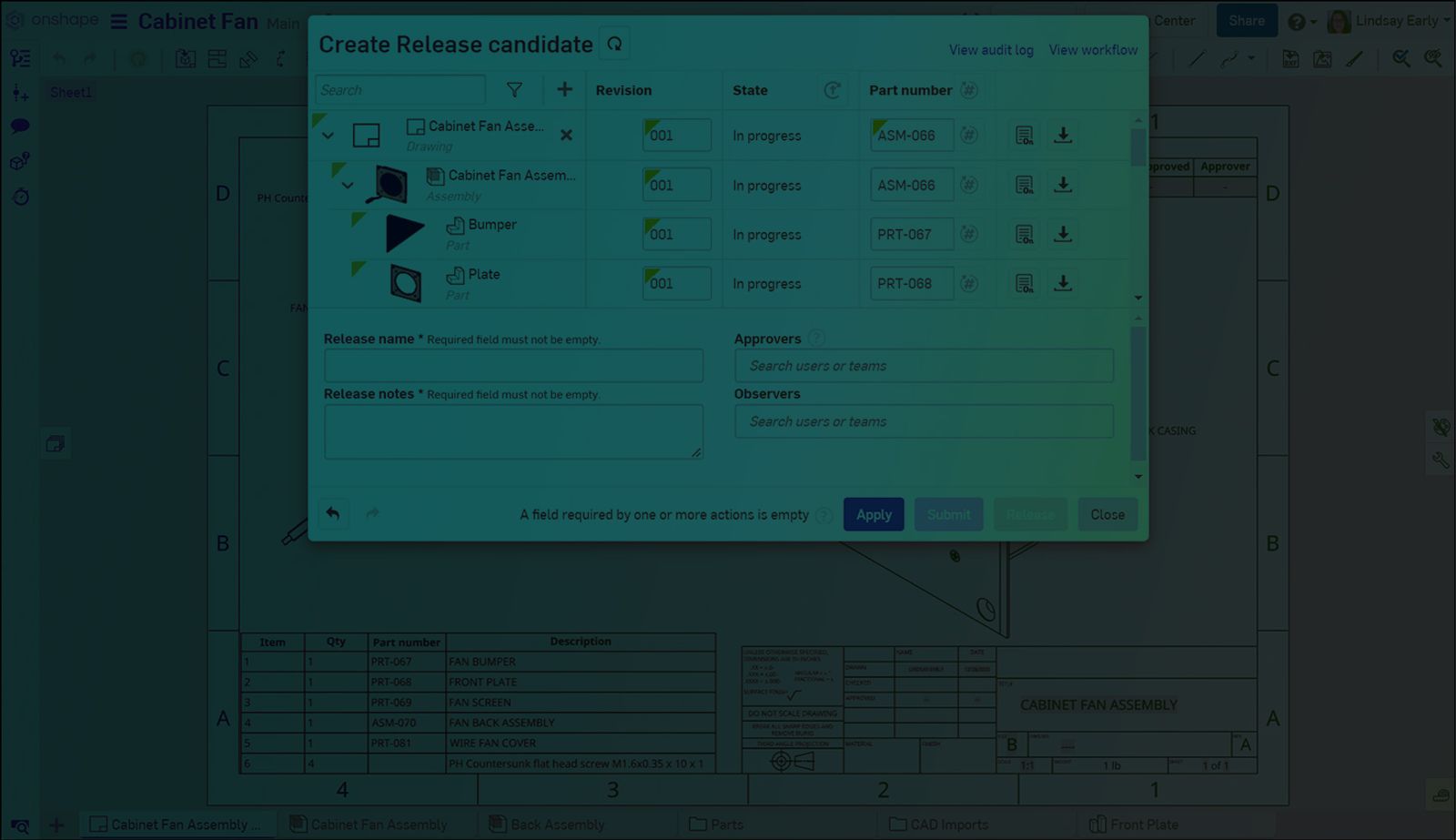
1:02
It can be convenient to use the same part numbers for the drawings of a specific part or Assembly. With the correct settings, Onshape automatically numbers drawings for you.
Numbering Schemes
There are two important Numbering schemes settings necessary to have Onshape automatically generate drawing part numbers.
First, set Number generation to Sequential part number generation. If this setting is disabled, the button to generate part numbers is not available in the Release candidate dialog (explained further below).
Additionally, set Part number uniqueness to Drawing can reuse part number from an assembly or part in the release.
Generating Part Numbers
In a Release candidate dialog, click the Generate missing part numbers button in the Part number column header. Any drawings with a blank part number automatically populate with the associated part or assembly number.
This Tech Tip helped you learn how to set drawings to use the same Part number as their referenced part or Assembly. We have more resources for you to learn more about related features, like Number schemes. See the Tech Tip on How to Use Automatic Numbering Schemes, for more on numbering schemes in Onshape.
Interested in learning more Onshape Tech Tips? You can review the most recent technical blogs here.
The Onshape Learning Center
Take self-paced courses, read articles, or sign up for an instructor-led training session.
Contenu le plus récent
- Blog
- Evaluating Onshape
- Appareils électroniques
- Intégrations
- PCB Studio
How Onshape PCB Studio Pulls 3D Component Models Straight from Altium 365
05.21.2026 En savoir plus- Blog
- Evaluating Onshape
- Collaboration
- Gestion de données
What’s the Difference Between File-Based and Cloud CAD?
05.20.2026 En savoir plus- Blog
- Customers & Case Studies
- Connexion PLM Arena
Le flux de travail natif du cloud à l'origine du robot de livraison de nouvelle génération de Coco
05.14.2026 En savoir plus