
 Créez un compte étudiant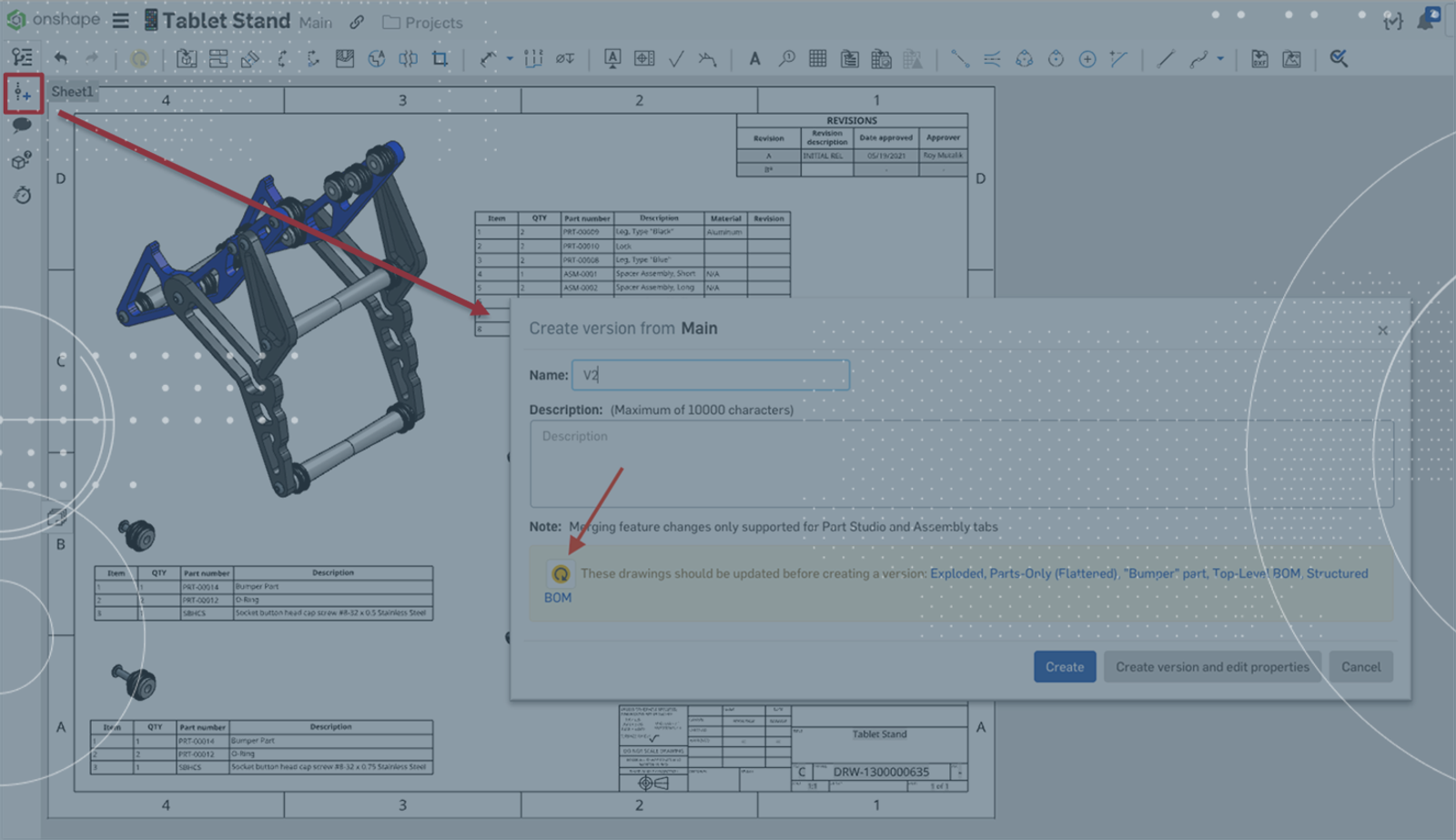
1:15
Like many other parametric, associative modeling tools, Onshape creates robust engineering drawings based on placing linked “views” of selected models on a virtual page. When you make a change to the model, each view is easily updated.
Because of Onshape’s unique sharing and collaboration capabilities, drawings views are handled via a purpose-built “managed” update – the user simply clicks the update button, and the latest changes from the model are pulled. However, what happens when one change to a part impacts multiple drawings? Does each drawing need to be opened and the update button pushed?
Yes, each drawing needs to be updated. But did you know that you can trigger all drawings within the same document to update in one go, without opening them individually?
From the top-left corner of the screen, click the “Create Version” button.
When the “Create Version” dialog pops up, notice the message at the bottom, calling out several drawings that need to be updated. You can click the button to update all of these drawings at once!
If you do not wish to create a version, simply cancel the dialog – the drawings will still have been updated.
For a full walkthrough example, please take a look at the video below.
This can be a real time-saver, particularly on larger packages of drawings or complex drawings that take longer to open.
Interested in learning more Onshape Tech Tips? You can review the most recent technical blogs here.
Contenu le plus récent
- Blog
- Evaluating Onshape
- Appareils électroniques
- Intégrations
- PCB Studio
How Onshape PCB Studio Pulls 3D Component Models Straight from Altium 365
05.21.2026 En savoir plus- Blog
- Evaluating Onshape
- Collaboration
- Gestion de données
What’s the Difference Between File-Based and Cloud CAD?
05.20.2026 En savoir plus- Blog
- Customers & Case Studies
- Connexion PLM Arena
Le flux de travail natif du cloud à l'origine du robot de livraison de nouvelle génération de Coco
05.14.2026 En savoir plus