
 Crea un account per studenti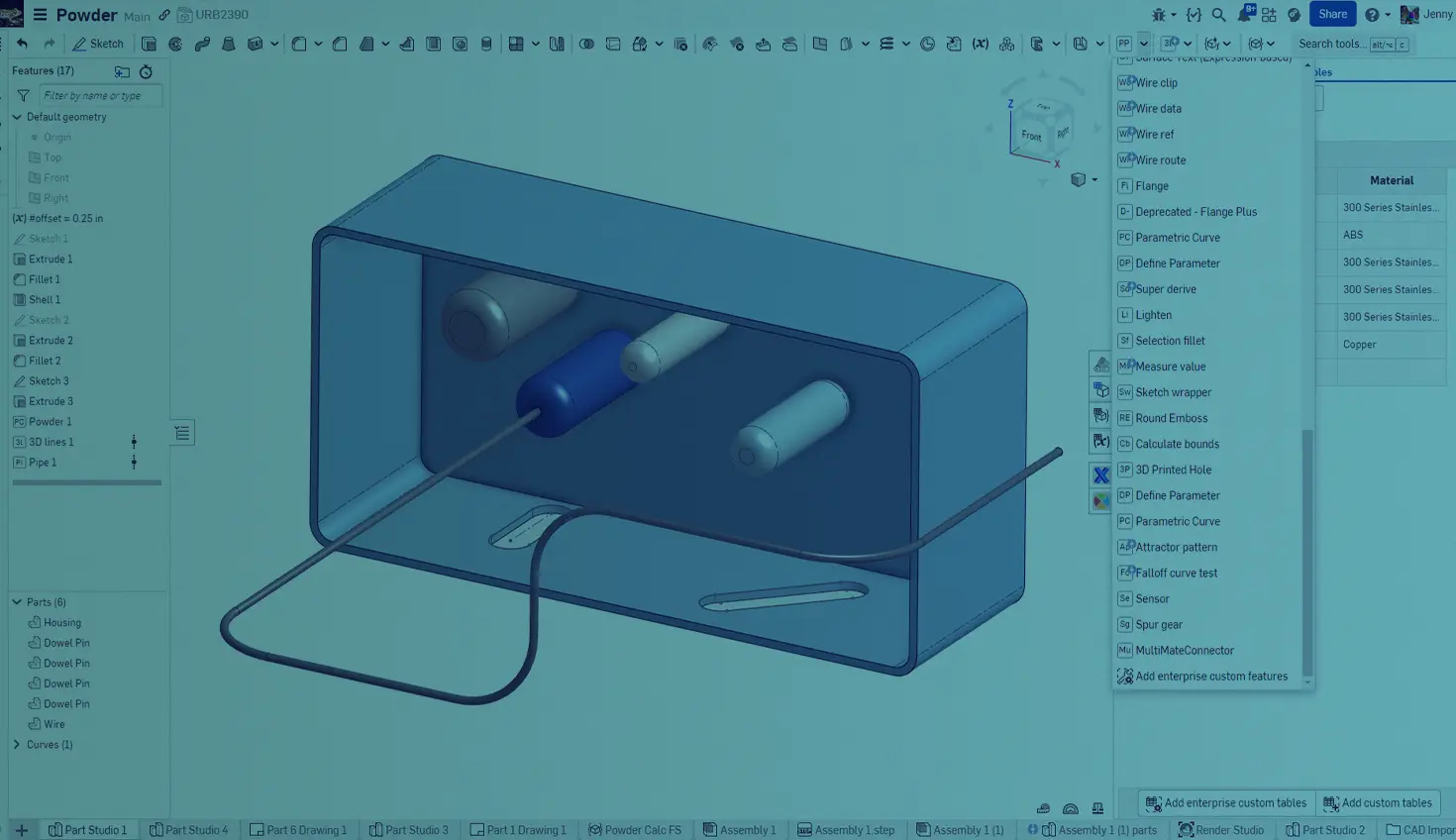
1:20
To leverage the full potential of Onshape, create and use Custom features and FeatureScript-written tables. Whether you create them yourself or use the power of the Onshape Forums and community, once you have them, you probably want to share them with everyone in your organization. This Tech Tip explains how to do this.
Enterprise Settings
Sign in to your Onshape Domain as an Administrator. From the Documents page, click your user name at the top right and select Company/Enterprise settings. Then click Preferences to open the Preferences settings. Scroll down to locate the Enterprise Custom features and tables section and check Enable Enterprise Custom features:
Part Studio setup for Custom Features
To add a Custom feature for all users, open an Onshape Document and navigate to a Part Studio tab. You will see a new icon () in the upper right corner of the menu bar near Search.
Click that icon, scroll, and select Add enterprise Custom features ().
Add the URLs of your favorite Custom features or browse to find new ones:
Part Studio Setup for Custom Tables
To add a Custom table for all users and open an Onshape Document. Click the Custom tables icon () to open the Custom tables panel on the right.
Add tables using the lower menu:
Select the Add enterprise custom tables icon, then add the URLs of your favorite Custom features or browse to find new ones:
The tables appear in the drop-down menu grouped by type:
Interested in learning more Onshape Tech Tips? You can review the most recent technical blogs here.
The Onshape Learning Center
Take self-paced courses, read articles, or sign up for an instructor-led training session.
Contenuti più recenti
- Blog
- Evaluating Onshape
- Gestione dei dati
- Disegni
- Artificial Intelligence
How Onshape is Redefining the Manufacturing Handoff with MBD and AI
09.24.2026 Ulteriori informazioni- Blog
- Gestione dei dati
- Integrazioni
- Government (US)
With Quarter20 and Onshape, Database-Driven Documentation from Design to Production
09.23.2026 Ulteriori informazioni- Blog
- Evaluating Onshape
- Distinta base (BOM)
- Branching e unione
- Gestione dei dati
- Gestione delle versioni
Funzionalità CAD e PDM che velocizzano ogni ECO
09.17.2026 Ulteriori informazioni