
 Konto für Lernende erstellen
So gelingt der Umstieg von SOLIDWORKS auf Onshape
Antworten auf die zehn häufigsten Fragen zum Wechsel von SOLIDWORKS zu Onshape

Onshape is here to help you and your team transition to our cloud-native product development platform from any legacy CAD system, notably SOLIDWORKS. To aid in the switch, we’ve put together this guide answering the 10 most common questions asked during a CAD system transition.
The Guide is broken into easy-to-read “How Do I” overview sections:
“HOW DO I”:
- Migrate my data to Onshape from SOLIDWORKS?
- Share data with supply chain partners?
- Export and import data to manufacturing with Onshape?
- Set up drawing templates in Onshape?
- Create a purchased Parts Library in Onshape?
- Understand the difference between a Part Studio in Onshape and a Part File SOLIDWORKS?
- Create a Bill of Materials in Onshape?
- Customize the material library in Onshape?
- Use version control for designs in Onshape?
- Add users to Onshape? Where would you find the function to add new users?
Find the answers by downloading the Guide today!
Latest Content
- Blog
- Experte werden
- Baugruppen
- Simulation
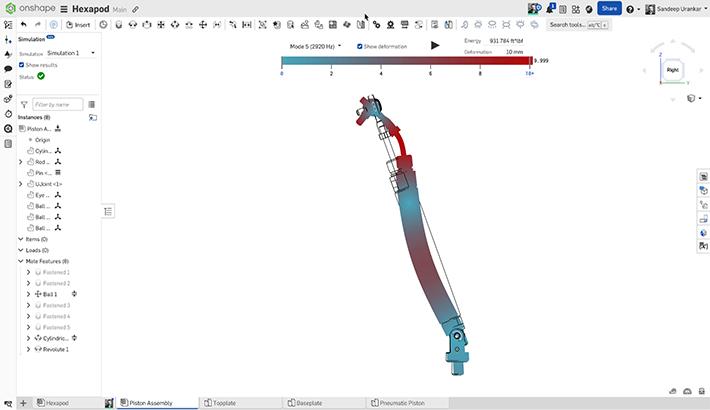
Mastering Kinematics: A Deeper Dive into Onshape Assemblies, Mates, and Simulation
12.11.2025 Mehr Infos
- Blog
- Evaluating Onshape
- Trainingscenter
AI in CAD: How Onshape Makes Intelligence Part of Your Daily Workflow
12.10.2025 Mehr Infos
- Blog
- Evaluating Onshape
- Baugruppen
- Zeichnungen
- Features
- Bauteile
- Sketches
- Verzweigung und Zusammenführung
- Freigabe-Management
- Documents
- Zusammenarbeit
Onshape Explained: 17 Features That Define Cloud-Native CAD
12.05.2025 Mehr Infos


