
 Crea un account per studenti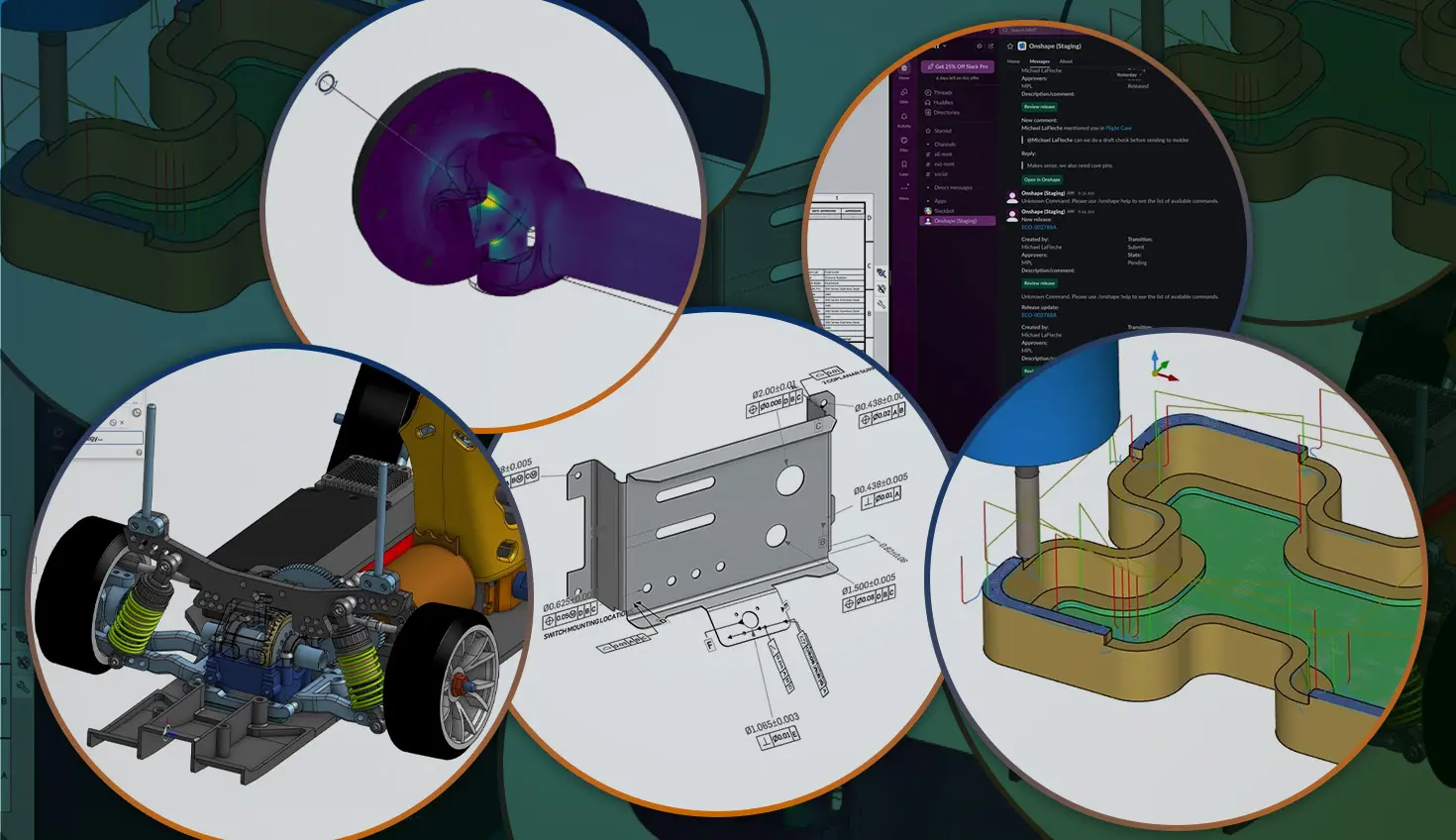
04:04
Quick summary
Onshape delivers seamless updates every three weeks, continuously expanding what's possible in CAD. Recent additions include assembly mirroring, model-based definition, adaptive cutting in CAM Studio, integrated linear static simulation, and direct Slack integration.
If you evaluated Onshape a few years ago – or even a few months ago – you might think you have a good handle on what the cloud-native CAD platform can do. You already know about the built-in PDM, the real-time collaboration, and the freedom from crashes and lost files.
But because Onshape pushes seamless updates every three weeks, the platform evolves incredibly fast. While massive flagship announcements naturally grab the headlines, the platform has steadily transformed from a core CAD modeling tool into an end-to-end product development ecosystem.
If you’re still curious about Onshape and wondering if it can handle your specific engineering challenges, here are 5 newly added capabilities across 5 different domains of the platform that are definitely worth a second look.
1. Assemblies: True Assembly Mirroring
Released Onshape 1.204: September 2025
For a long time, Assembly Mirror was one of the most highly requested features by engineers migrating from legacy desktop CAD. Mirroring a complex subassembly is notoriously tricky – you have to account for which parts are truly symmetric, which need opposite-hand versions, and how mates should behave.
Onshape didn’t just check a box with this release; we built a powerhouse tool. The new Assembly Mirror tool offers flexible strategies for symmetric and asymmetric components, integrates perfectly with release workflows, and crucially, mirrors motion and kinematics.
If you held off on Onshape because your designs rely heavily on mirrored subassemblies, this feature completely changes the calculus.
2. Inspection: Model-Based Definition (MBD)
Released Onshape 1.211: February 2026
Many enterprise engineering teams are actively trying to reduce their reliance on traditional 2D drawings. Onshape's recent introduction of Model-Based Definition (MBD) is a massive step in that direction.
Instead of translating a 3D model into 2D views to add dimensions and tolerances, you can now apply geometric dimensioning and tolerancing (GD&T) directly to the 3D model. This ensures that the 3D model remains the absolute single source of truth for both manufacturing and inspection, reducing errors in translation and streamlining the handoff to the shop floor.
3. Machining: Adaptive Cutting in CAM Studio
Released Onshape 1.209: January 2026
If you thought Onshape was only for designing parts, it’s time to look again. Onshape has been rapidly building out its fully integrated, cloud-native CAM Studio.
Recent updates have brought sophisticated toolpath generation directly into the browser, including the highly anticipated Adaptive Cutting options. Adaptive roughing strategies maintain a constant tool engagement angle, which significantly extends tool life and reduces machining time compared to traditional offset toolpaths. Because CAM Studio is native to Onshape, any changes to your CAD model automatically flag your toolpaths for a seamless update – no exporting or re-importing required.
4. Analysis: Integrated Linear Static Simulation
Evolved throughout late 2025, the most recent Onshape 1.212
Running a simulation used to mean waiting for a heavy desktop add-on to load, meshing your model, and hoping your computer didn't crash. Onshape has taken a radically different approach by building linear static simulation directly into the Assembly environment.
Recent rapid-fire updates have added capabilities like Inertial Relief (for simulating parts in free space, like an aircraft in flight) and Centrifugal Loads (for rotating machinery). Because the simulation uses cloud compute power, you get fast, highly accurate structural feedback on your assemblies without locking up your local hardware.
5. Collaboration: Direct Slack Integration
Released Onshape 1.207: November 2025
This isn't a geometry tool, but it's a perfect example of why cloud-native engineering is fundamentally different from desktop software. We all know the pain of taking screenshots of a CAD model, marking them up in Paint, and emailing them to a colleague to ask a question.
Onshape Enterprise’s new Slack integration ties your CAD data directly into the communication tools your team is already using. You can receive automated notifications for PDM release management approvals, share dynamic links to specific parts, and actually unfurl 3D models right in your Slack channels.
It bridges the gap between engineering and the rest of the company, keeping everyone on the same page without requiring them to install a CAD viewer.
It’s Time to Test Drive Onshape
The beauty of software-as-a-service CAD is that you don’t have to wait for an annual release to get your hands on new tools. The features above represent just a tiny fraction of what has been added over the last few months across manufacturing, analysis, and documentation.
If it’s been a while since you test-drove Onshape, there’s never been a better time to log back in and see what’s new.
Il programma Onshape Discovery
Scopri come professionisti CAD qualificati possono ottenere Onshape Professional per un massimo di 6 mesi, senza alcun costo!
Contenuti più recenti
- Blog
- Evaluating Onshape
- Distinta base (BOM)
- Branching e unione
- Gestione dei dati
- Gestione delle versioni
Funzionalità CAD e PDM che velocizzano ogni ECO
09.17.2026 Ulteriori informazioni- Blog
- Evaluating Onshape
- formazione
Intro to Engineering: A Curriculum Built for Your First-Year Course
09.15.2026 Ulteriori informazioni- Blog
- Artificial Intelligence
- Funzionalità personalizzate
AI Tokens in CAD: What Engineers Using LLMs and Coding Agents Need to Know
09.10.2026 Ulteriori informazioni