
 Create a Student Account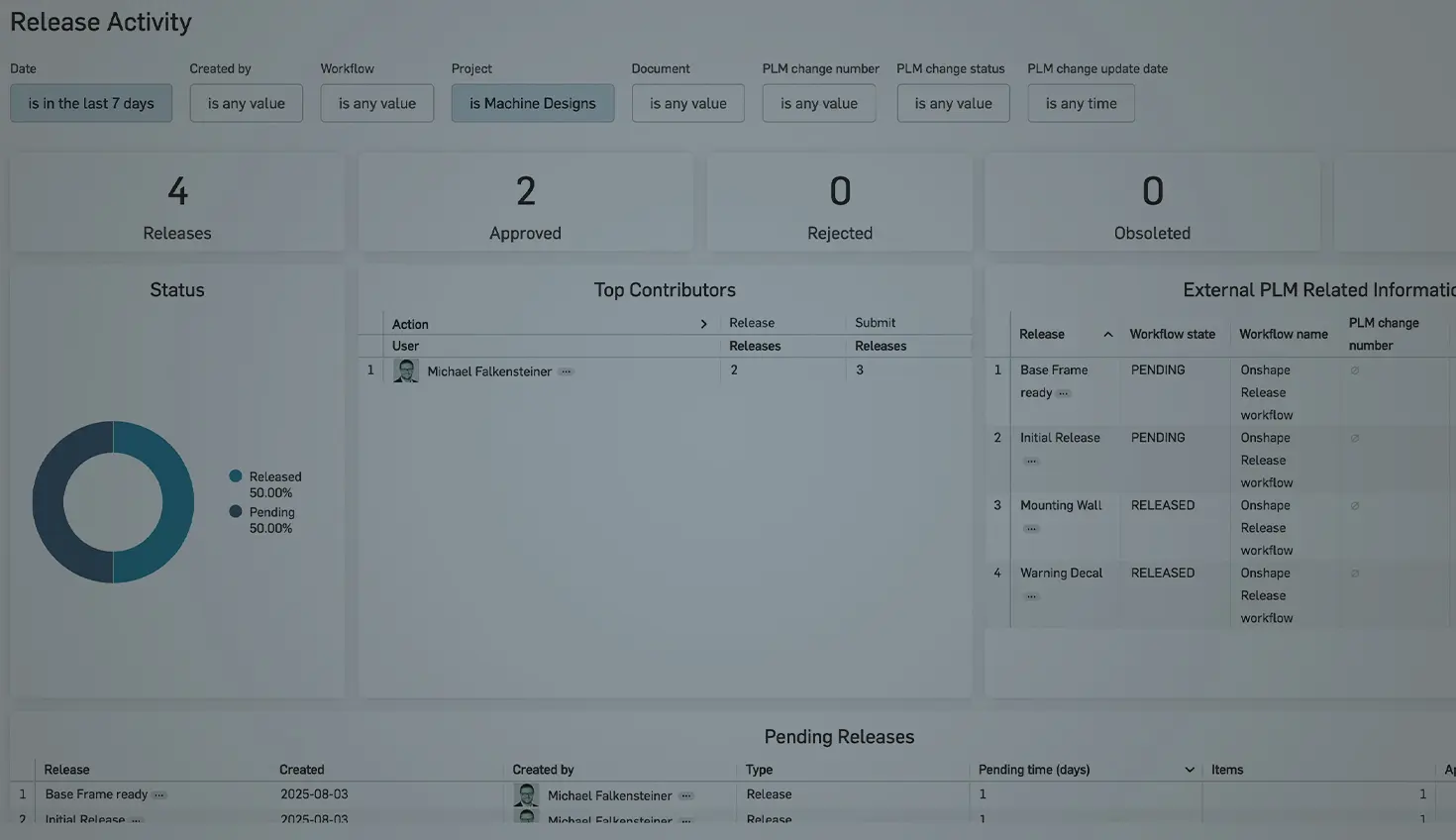
01:52
Automated insights for better decisions.
With Scheduled reports in Onshape Analytics, Enterprise Administrators and Analytics Administrators can create regular structured data reports directly to their inbox. This allows you to keep track of usage, performance, and collaboration in your organisation without having to manually retrieve reports.
What are Scheduled Reports?
Scheduled reports are automated email notifications based on predefined analytics dashboards. They provide regular updates on:
- User activity
- Document usage
- Export behaviour
- Release Management
- User permissions
These reports can be sent daily, weekly, or monthly to individuals or entire groups.
How to Set Up a Scheduled Report
1. Open Onshape Analytics. (Only available for Enterprise Administrators and Analytics Administrators.)
2. Select a report, e.g.:
- User Activity
- Document Exports
- Release Activity
- Document Permissions
3. Customise your report using filters and save the dashboard
4. Click on the schedule report icon
Configure the schedule:
- Frequency: daily, weekly, monthly
- Format: PNG, JPG, PDF
- Recipients: Add users
- Click Create to save scheduling
Practical Examples: Why Are Scheduled Reports Useful?
- Monitoring export activities: Track which users regularly export data, for example, STEP files for external manufacturing partners. Identify potential IP risks or external dependencies at an early stage.
- Document permissions: A weekly report on document access and permissions helps control who can access your data.
- Version and release management: Track the number of releases created per week, whether releases are going through correctly, and whether there are workflow bottlenecks.
- Regular reviews: For example, schedule a monthly meeting to analyse the reports together.
Pro Tips for Everyday Use
- Use filters: Limit reports to specific times, user groups, or document types.
- Select PDF format: Attach a PDF report to the email sent out automatically.
Try Scheduled Reports Yourself
Scheduled reports are useful tools for making transparent, data-driven decisions without any manual effort. They help you identify trends early on, minimise risks, and provide targeted support to your teams.
Interested in learning more Onshape Tech Tips? You can review the most recent technical blogs here.
Friends Don’t Let Friends Use Old CAD!
Know a colleague who could benefit from our cloud-native, fully-featured collaborative design platform?
Latest Content
- Blog
- Evaluating Onshape
- Bill of Materials
- Branching & Merging
- Data Management
- Release Management
CAD and PDM Capabilities That Speed Up Every ECO
09.17.2026 learn more- Blog
- Evaluating Onshape
- Education
Intro to Engineering: A Curriculum Built for Your First-Year Course
09.15.2026 learn more- Blog
- Artificial Intelligence
- Custom Features
AI Tokens in CAD: What Engineers Using LLMs and Coding Agents Need to Know
09.10.2026 learn more