
 Create a Student Account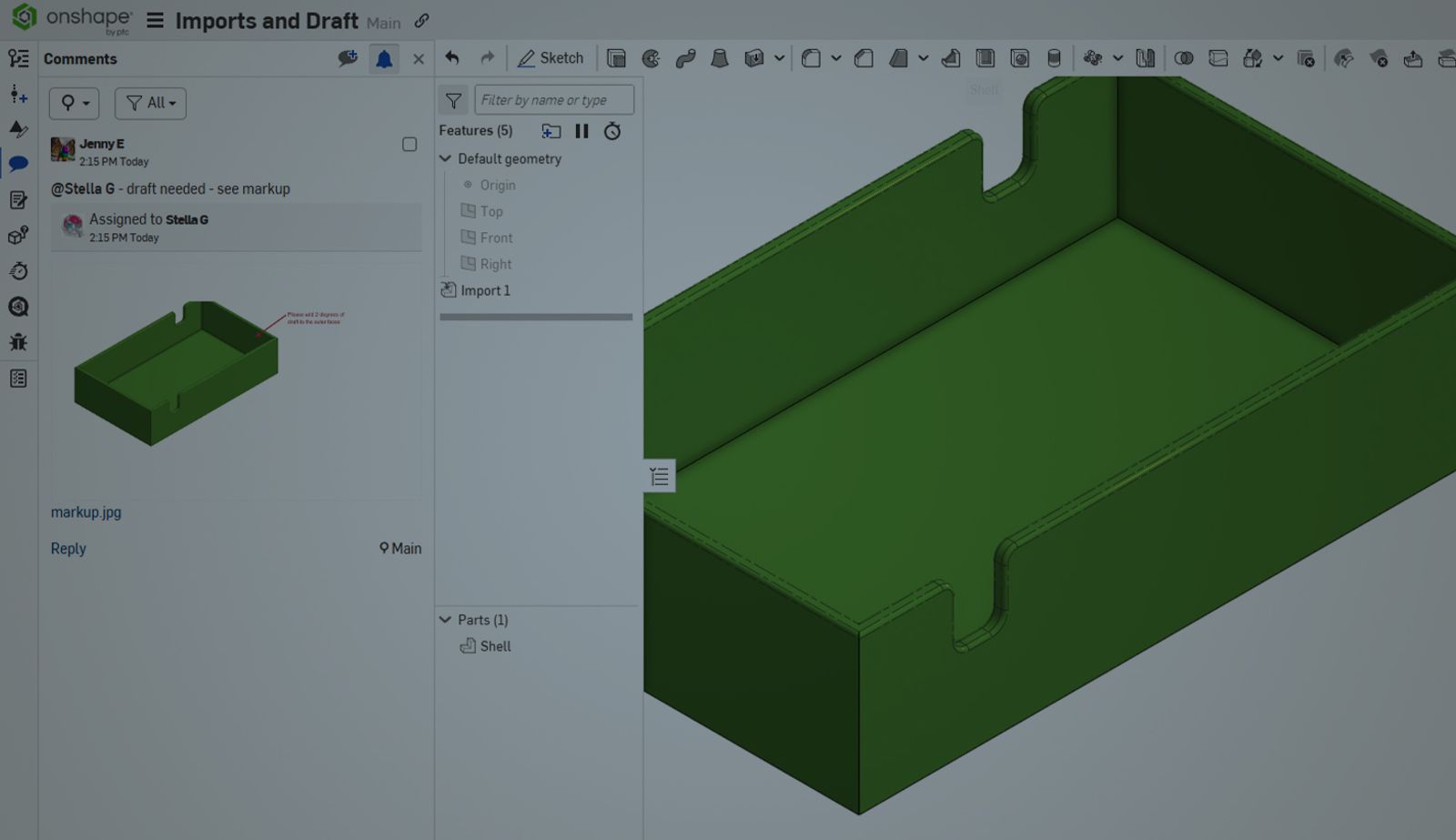
01:26
Often in the design process, parts are imported that were designed in other CAD systems. Typically, those parts need to be modified or adjusted based on feedback from manufacturing and tooling vendors.
This Tech Tip shows you how to modify imported geometry to add draft to imported parts – even if they have fillets.
Using the Draft analysis tool, it is determined that draft is needed on the faces in yellow.
Working with Imported Geometry
This part needs to have draft applied to the outer walls. Since there are fillets and cutouts along the top edge, the draft cannot be applied.
To apply the draft, the small fillets first need to be removed – since the part is imported, the user does not have access to the Fillet feature in the feature list.
There are a few options in Onshape:
- Use an Extrude or Sweep to add material back to the top edges
- Use Delete face and heal, selecting all the faces
Or…
- Use the Modify Fillet feature
Using the Modify Fillet Feature
This Tech Tip will focus on using the Modify fillet feature.
The Modify fillet feature is located in the feature toolbar with the other direct editing tools.
Select the filleted faces you need to modify. In this example, I need to remove the small radius on the outer edges of this part.
To remove the fillets completely, select the Remove fillet option from the pull-down and select the filleted faces to delete. The tool requires just 2 edge selections.
Add Draft and Reapply the Fillet
Once the fillets are removed, draft can be quickly applied and verified, and then the fillets reapplied.
This Tech Tip helped you learn how to use the Modify fillet tool.
We have more resources for you to learn more about related features, like Direct Editing, in the Onshape Learning Center.
The Onshape Learning Center
Take self-paced courses, read articles, or sign up for an instructor-led training session.
Latest Content
- Blog
- Becoming an Expert
- Assemblies
Built to Scale: Why Large Assemblies Don’t Slow Down in Onshape
07.16.2026 learn more- Blog
- News from Onshape @ PTC
- Artificial Intelligence
Onshape Labs: AI in CAD Guided by Designers, Driven by Innovation
07.15.2026 learn more- Blog
- Evaluating Onshape
- Data Management
- Collaboration
- Artificial Intelligence
How the Most Underrated CAD Feature Improves Design Workflows
07.09.2026 learn more