
 Create a Student Account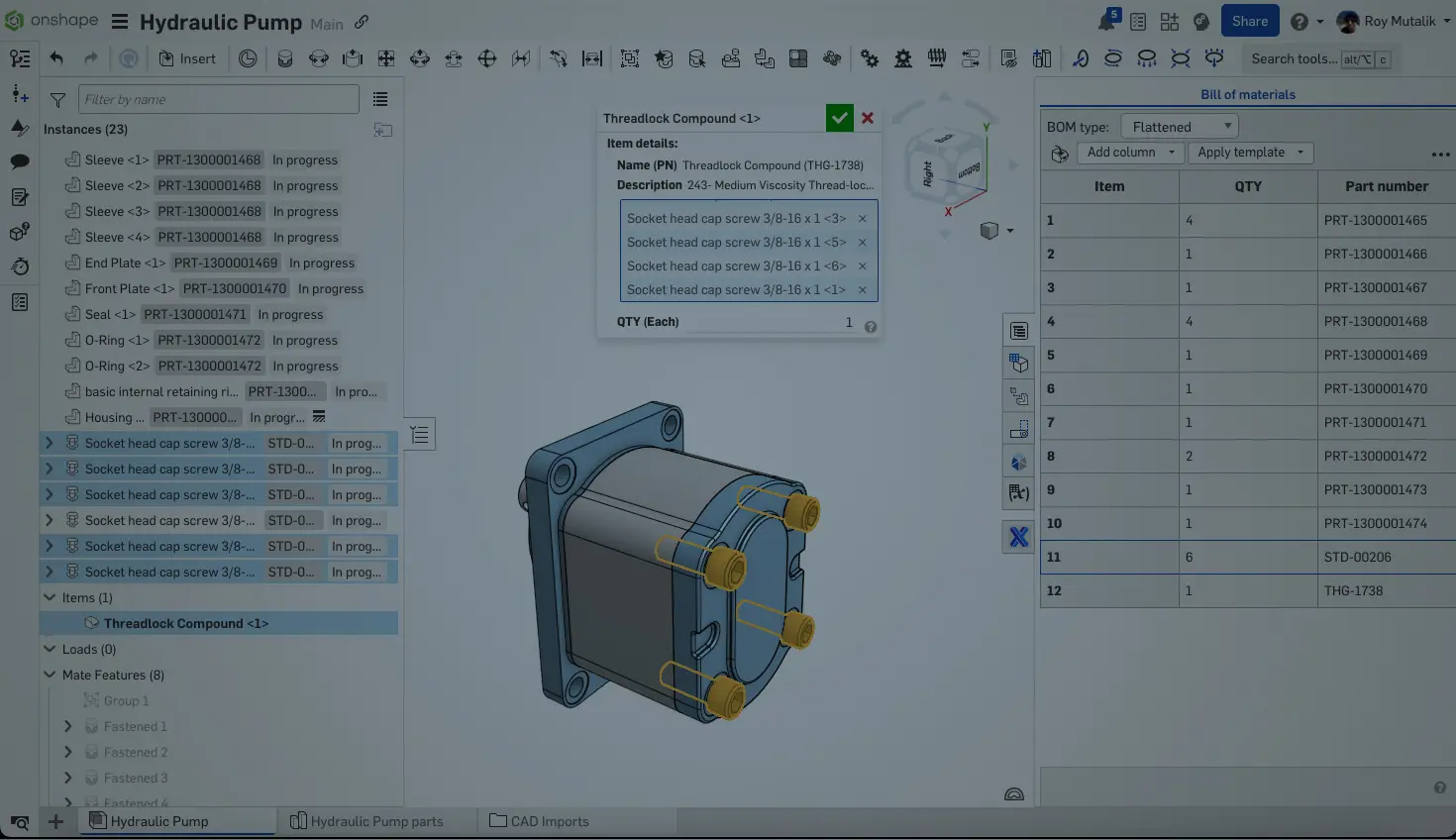
01:45
Most products use some type of purchased components in their bills of materials – whether screws, washers, nuts, adhesives, lubricants, or labels. We capture these in Onshape using two different features: Standard content and Items.
Using Your Purchased Parts
Anyone in your company can use parts from standard content or add items to a BOM as long as they have editing permissions on the document they are working on. Standard content components can be added from the Insert dialog, and Items can be added from the Insert option on the BOM.
However, in both cases, some setup may be required before using these features. Standard content does not have metadata (part numbers, etc.) filled out unless someone goes through and adds them. Items, on the other hand, have to be created from the company settings, before they are available for use. These are usually the responsibility of the company administrator, but the permissions can be assigned to members of the team.
Distributing Authoring Permissions
A company administrator can assign authorship permissions for Standard content and Items. The option resides in slightly different locations depending on whether you have an Onshape Professional or Enterprise subscription.
For Professional licenses, navigate to Company settings > Preferences. Scroll down to find the Authoring permissions header:
In Enterprise licenses, navigate to Company settings > Global permissions. The two permissions are named “Manage non-geometric Items” and “Manage standard content metadata”:
Regardless of the license type, add any number of individual users or teams under the separated permissions for Standard content and non-geometric Items. This allows you to offload an administrative task, or perhaps more importantly, give the right users the ability to quickly self-service as they need to design with these components.
Ready to discover more ways to optimize your Onshape workflows? Explore our Learning Center for additional lessons, tutorials, and best practices that can help streamline your design processes and unlock the full potential of your CAD environment.
The Onshape Learning Center
Take self-paced courses, read articles, or sign up for an instructor-led training session.
Latest Content
- Blog
- News from Onshape @ PTC
- Artificial Intelligence
- Custom Features
From Onshape Labs, the FeatureScript MCP Server: The Fastest Path to AI-Driven Design
08.11.2026 learn more- Blog
- Becoming an Expert
- Data Management
15 Things to Know Before Importing CAD Files into Onshape
08.06.2026 learn more- Blog
- Evaluating Onshape
- Model Based Definition
- PCB Studio
- Rendering
- Simulation
- Integrations
Onshape Features That Keep Your Design Data Connected: August 2026 Highlights
08.05.2026 learn more