
 Create a Student Account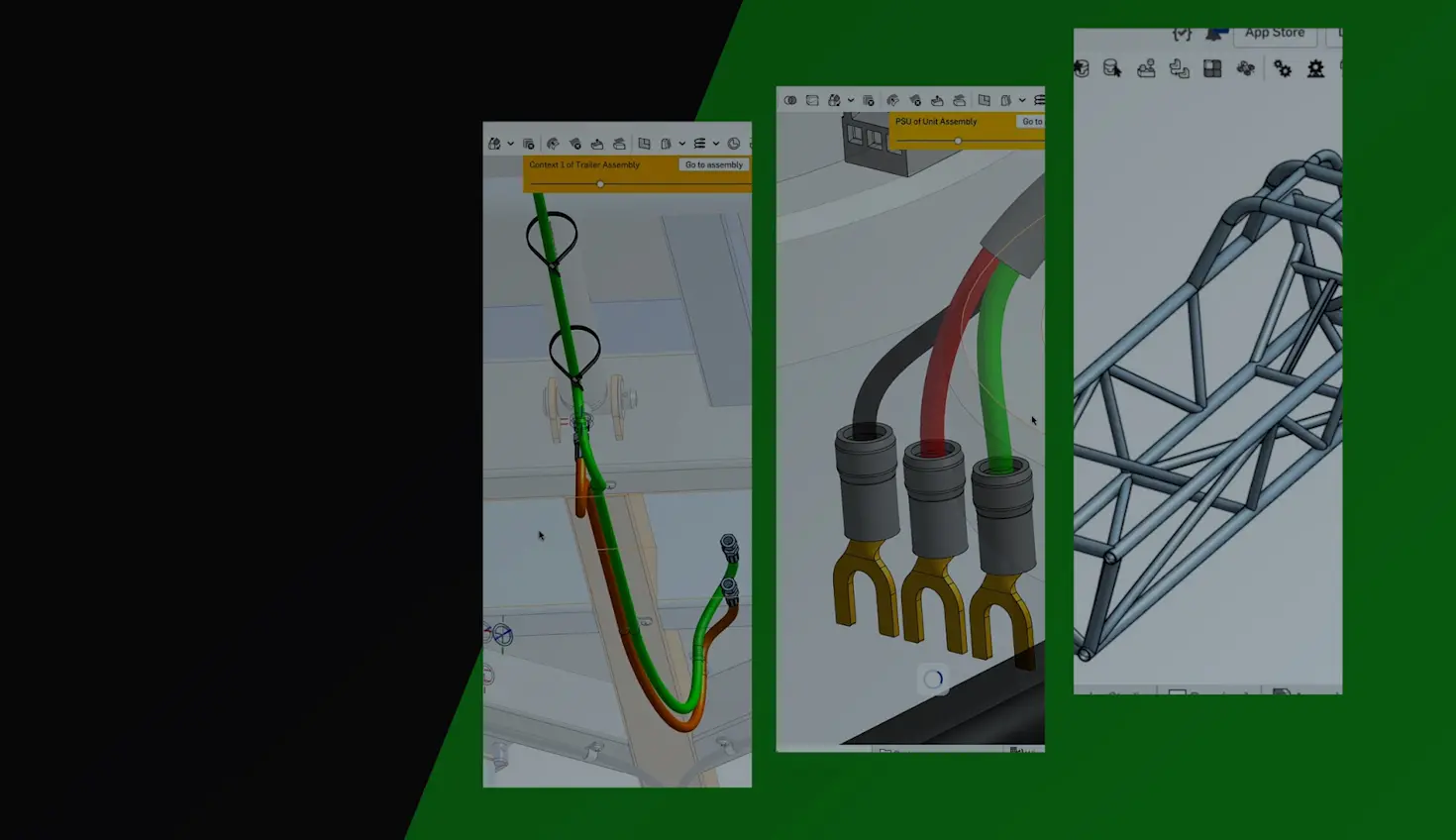
04:27
Engineers have long struggled with designing complex 3D paths for piping, wiring harnesses, and structural frameworks. What should be a straightforward task often devolves into a frustrating exercise in workarounds and compromises.
Onshape's Routing Curve tool changes this, offering a parametric, intuitive approach to creating and manipulating 3D curves that maintain design intent while respecting manufacturing constraints like minimum bend radius.
Precision and Flexibility in 3D Path Design
The Routing Curve tool empowers engineers to create complex paths in 3D space with control and flexibility. Unlike traditional curve creation methods, Routing Curve offers multiple ways to define your path:
- Triad Manipulator: A powerful interface element that provides interactive control over translation and rotation across all axes and planes. Engineers can precisely position curve points in 3D space without constantly adjusting view orientation.
- Multiple Creation Methods: Create points by manipulating the triad, selecting from existing geometry, or even importing point data via CSV files – ideal for complex paths defined by external analysis or requirements.
- Parametric Associativity: Points can reference existing geometry, maintaining associative relationships that automatically update when your design changes. This eliminates the tedious rework typically required when base components are modified.
- Relative Point Positioning: Points can be defined relative to previous points in the sequence, creating intelligent relationships that maintain design intent through modifications.
These powerful capabilities combine to give engineers unprecedented freedom when creating complex 3D paths, all while maintaining the precision required for demanding engineering applications.
Manufacturing-Ready Curve Types
When creating routes for real-world applications, the type of curve you use matters significantly. Routing Curve provides flexibility to match your specific manufacturing requirements:
- Interpolated Splines: Create smooth, continuous NURBS-based curves that pass through each defined point – perfect for flexible tubing, wiring harnesses, or when aesthetics matter.
- Polylines: Generate straight segments between points – ideal for rigid piping, structural members, or when manufacturing methods require linear sections.
- Bend Radius Control: Apply global or point-specific bend radius constraints to ensure manufacturability. Whether you're designing to accommodate material limitations or flow requirements, you can specify minimum bend radii that persist through design changes.
This versatility ensures that your digital designs translate seamlessly to physical products, avoiding costly manufacturing issues that often arise from CAD designs that don't account for real-world constraints.
Seamless Workflow Integration
Routing Curve fits seamlessly into your existing Onshape workflows. You can define custom coordinate systems, work directly in assembly context, import or export point data via CSV, and create closed loops for continuous paths – all without disrupting your process. It’s not a separate tool to learn, but a natural extension of your design environment.
Real-World Applications Across Industries
The Routing Curve’s ease-of-use makes it relevant across numerous industries where complex 3D paths are essential components of design.
- Aerospace & Defense: Design exhaust manifolds with precise routing between fixed flanges. Create runners that maintain proper clearances while adhering to manufacturing constraints like minimum bend radius.
- Robotics: Route wiring harnesses through complex assemblies using in-context design. Define paths that connect servos and electronic components while avoiding interference with moving parts.
- Medical Devices: Create compact and efficient tubing systems within tightly constrained spaces, where precise bends and connections are critical for proper function.
- Industrial Equipment: Plan and implement elaborate piping networks and structural frameworks that maintain design intent through revisions.
Demos: The Routing Curve in Action
Seeing is believing when it comes to revolutionary CAD tools. To truly appreciate how Routing Curve can transform your design process:
Quick Introduction
For a rapid overview of basic functionality, watch this short demonstration video:
In-Depth Tutorial
Check out Greg Brown's comprehensive walkthrough, which demonstrates the Routing Curve's practical applications and advanced techniques. Brown is Vice President and Head of Product at Onshape by PTC.
These resources will help you quickly harness the full potential of Routing Curve for your specific engineering applications.
Take Your Design Process to the Next Level
Onshape's Routing Curve feature represents a significant improvement in how engineers approach 3D path design. By combining intuitive controls with parametric power, it transforms what was once a tedious, compromise-filled process into a straightforward, efficient workflow.
Whether you're designing complex exhaust systems, intricate wiring harnesses, or industrial piping networks, Routing Curve provides the precision and flexibility needed to realize your design intent without sacrificing manufacturability.
Start Your Free Discovery Program journey and see why thousands of engineers are making the switch to Onshape’s modern CAD platform.
The Onshape Discovery Program
Learn how qualified CAD professionals can get Onshape Professional for up to 6 months – at no cost!
Latest Content
- Blog
- Evaluating Onshape
- Bill of Materials
- Branching & Merging
- Data Management
- Release Management
CAD and PDM Capabilities That Speed Up Every ECO
09.17.2026 learn more- Blog
- Evaluating Onshape
- Education
Intro to Engineering: A Curriculum Built for Your First-Year Course
09.15.2026 learn more- Blog
- Artificial Intelligence
- Custom Features
AI Tokens in CAD: What Engineers Using LLMs and Coding Agents Need to Know
09.10.2026 learn more